Melbet App in India: Android APK, iPhone and Login
We checked Melbet's help pages, its Android app and Apple's App Store ourselves.
On Android, the Melbet app is an APK file that you download from Melbet's own site, not from Google Play. On iPhone, Apple's App Store in India had no Melbet app when we checked on 20 October 2026, so you use Melbet's mobile site in Safari. Melbet's guide says one account works on the site and the app.
Choose your route
| Your phone | What to use | Steps |
|---|---|---|
| Android | The Melbet app, an APK from Melbet's own site | Android steps |
| iPhone | Melbet's mobile site in Safari | iPhone |
| Any phone | The mobile site, with nothing to install | Open Melbet's site in your browser |
For deposits, withdrawals and bonus rules, read our Melbet review.
Four checks before you download
Check the address. Melbet's mirror sites use addresses that differ by extra letters or digits, its help page says, and the same page warns of fraudulent and phishing sites. In Google's results for "melbet app" and "melbet apk" on 26 September 2026, ten different websites had "melbet" in their address, APK download sites not counted. So "melbet" in an address proves nothing. Start from a link you know, and bookmark the one you use.
Use Melbet's own file. An APK from outside Google Play has not been through Google Play's review. Skip APK download sites (four offered a Melbet file in the "melbet apk" results that day) and APK files sent in chats.
Ignore "Melbet" on Google Play. The Google Play listings called Melbet in those results were a time-keeping tool for older users, an arcade game and a drawing app. Two results were pages on government websites, one Indian and one Bangladeshi, titled like Google Play listings. A real Google Play page's address starts with play.google.com.
Guard your phone and your codes. An app that asks for your contacts or SMS without a clear reason is a red flag. Never send anyone a one-time code (OTP) from your bank, UPI or Melbet, even someone who says they work for Melbet's support.
Melbet app download for Android
The Melbet app download for Android is an APK on Melbet's own site. Its help page says the app is not on Google Play and puts the download in the "Download mobile app" section at the bottom of the site, under an Android button.
- Open Melbet's site in your phone's browser, from a link you know.
- Scroll to the bottom and tap Android in the "Download mobile app" section. Your phone saves the Melbet APK.
- Open the file. If Android says the installation is not allowed, it sends you to "Install unknown apps". Allow the browser you used, and only that one. On Android 8.0 and later this permission is given one app at a time.
- Confirm and install. Then log in, or sign up if you are new.
Melbet's help page lists Android 5.0 or later (6.0 or newer recommended), about 100 MB of free space (150 MB recommended) and 1 GB of RAM (2 GB recommended). It gives the latest Melbet APK as version 258.0.5, the same number the app's own Settings showed on 19 October 2026.
Melbet on iPhone
Melbet's app was not in India's App Store when we checked on 20 October 2026. Apple's lookup of Melbet's App Store app returned nothing for India, and a search for "melbet" in India's store returned 91 apps, none named Melbet or published by Pelican Entertainment B.V.
That company, which Melbet's About page names, lists the same app as "Melbet: Live Sports Betting" in Vietnam's and Mongolia's App Stores (version 258.0). Senegal's store did not list it that day.
Melbet's help page says its iPhone app is in the App Store. Its steps have you change your Apple account's country to Senegal, India, Vietnam or Mongolia, and enter an address in Dakar, Senegal. We don't suggest that, because it means giving Apple an address that is not yours.
On iPhone, use Melbet's mobile site in Safari. For a shortcut, tap Share, then Add to Home Screen. That puts a link to the website on your home screen; it is not an App Store app.
Melbet app login, updates and security
Log in. Open the app, choose email or ID, or phone number, enter your password and tap Log in. Melbet's guide says one account works on the site and the app, so you don't need a second account.
Updates. Melbet's help page says the Android app updates itself, and that even an old installer updates on first launch; old versions can't be used. To check yours, open Settings, then About the app. "App version" shows the number and "Updated". On 19 October 2026 it read MelBet v.258.0.5.
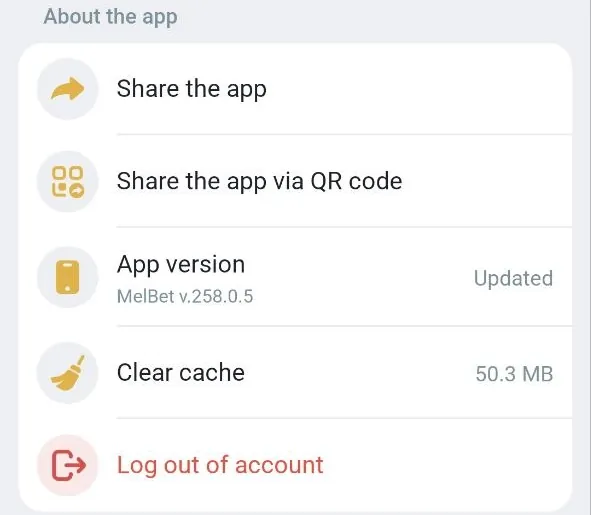
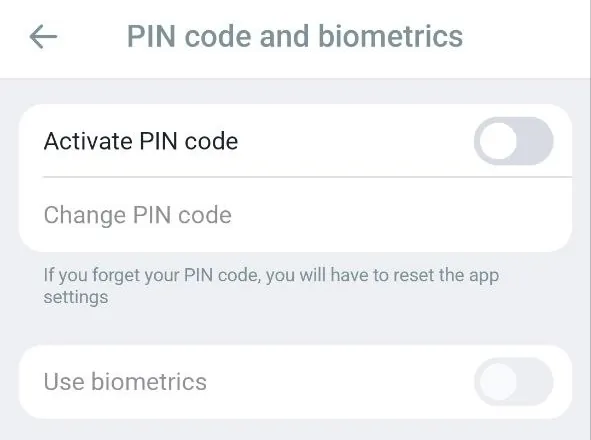
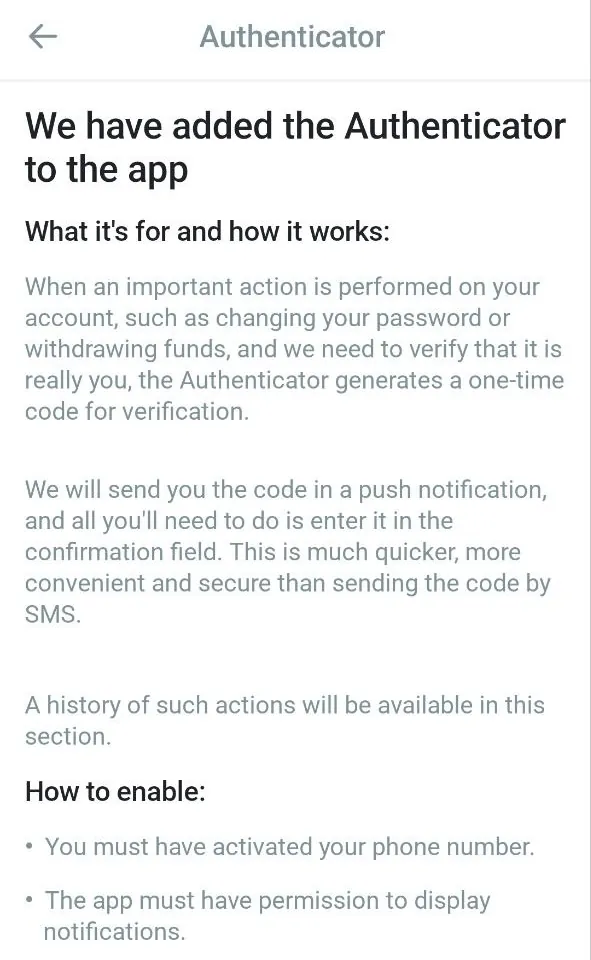
Security. The app's Settings had three security screens on 19 October 2026.
- PIN code and biometrics, with switches to activate a PIN code and to use biometrics. The screen warns that if you forget your PIN, you have to reset the app settings.
- Authenticator, which sends a one-time code in a push notification for important actions, such as changing your password or withdrawing. It needs an activated phone number and notifications allowed.
- Security checklist, with six items from a linked phone number and a password changed every 90 days to two-factor authentication.
If the Melbet app is not working
| Problem | Check | Next step |
|---|---|---|
| Android says the installation is not allowed | "Install unknown apps" | Allow only the browser you downloaded with, then open the file again |
| You forgot your password | "Forgot Password" on the login screen | Melbet sends a reset link to your registered email |
| Your account locked after failed logins | Wait several minutes | Try again, or contact Melbet's support |
| The site misbehaves in your browser | Clear cache and cookies | Or try another browser or device |
| The two-factor code doesn't arrive | Your linked device is with you, and the app is updated | Melbet's support can reset two-factor |
| The app is slow or stuck | Settings > About the app > Clear cache | Still stuck: reinstall from Melbet's site |
If a page asks you to pay, deposit or install another app to fix access, stop. A deposit never fixes a login or an app problem.
Using the Melbet app
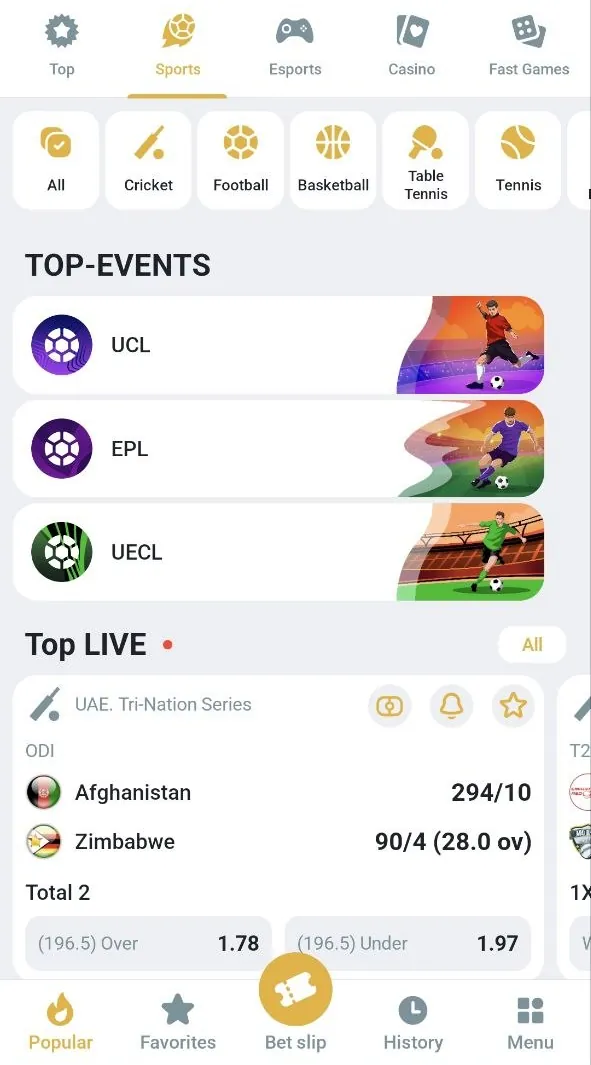
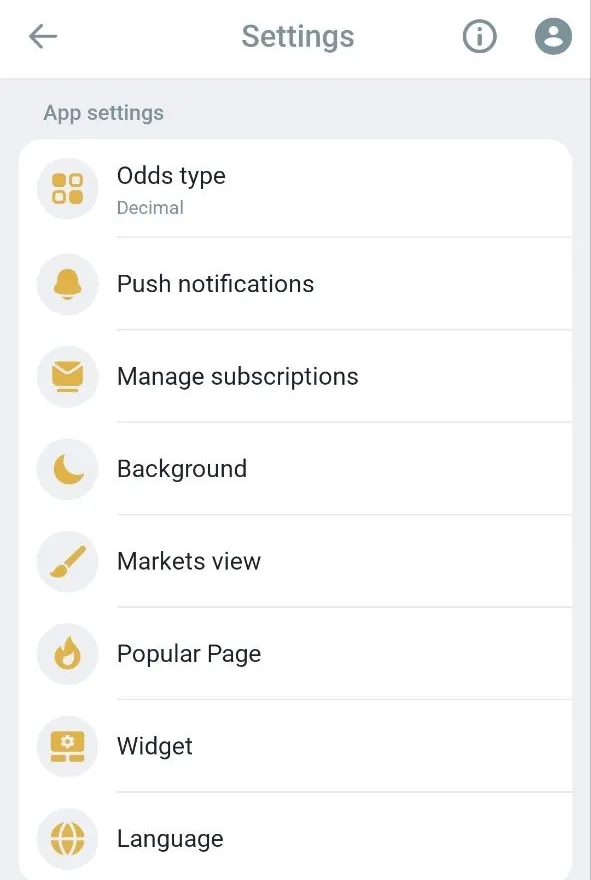
On 19 October 2026 the Android app showed tabs for Top, Sports, Esports, Casino and Fast Games, with a Cricket filter and live cards for matches in play. The bottom bar has Popular, Favorites, Bet slip, History and Menu. In Settings you pick the odds format (it showed Decimal), push notifications and the language; the language list includes Hindi.
Money in brief. For deposits, the app's cashier recommended PhonePe, UPI Direct, UPI, PayTM UPI, Google Pay, Bank Transfer and Tether on Tron. The withdrawal screen included PhonePe, UPI and Tether on BSC, and cards (Visa, MasterCard). Withdrawals go back to the same payment details you deposited with, and an active bonus blocks withdrawals until its wagering is done or you reject it. Our Melbet review has the methods, limits and bonus rules. For other sites that take UPI, see our UPI betting sites.
How we checked this guide
We used Melbet's own help pages for Android, iPhone, login, payments and mirror sites (captured 19 October 2026), screens of the Melbet Android app, version 258.0.5 (19 October 2026), Apple's App Store listings for India, Senegal, Vietnam and Mongolia (20 October 2026), and, from 26 September 2026, Google's results for "melbet app" and "melbet apk" and Android's developer documentation on installing apps from outside Google Play. Melbet's instructions are credited to Melbet. Each screen shows that control as it looked on that day.
Questions about the Melbet app
Is the Melbet app on Google Play?
No. Melbet's help page says you won't find it on Google Play. The Google Play listings called Melbet in Google's results on 26 September 2026 were other apps (a time-keeping tool for older users, an arcade game and a drawing app). Get the APK from Melbet's site instead.
Is there a Melbet app for iPhone in India?
Not in India's App Store when we checked on 20 October 2026; Apple lists it in Vietnam and Mongolia. On iPhone, use Melbet's mobile site in Safari and add it to your home screen.
Is the Melbet app real or fake?
The Android app to install is the APK on Melbet's site. The fakes borrow the Melbet name, from APK download sites and Google Play listings to websites on other addresses. Check the address before you download or log in.
How do I update the Melbet app?
You don't need to. According to Melbet's help page, the Android app updates itself, even from an old installer. Settings > About the app shows your version; on 19 October 2026 it read 258.0.5, with "Updated" beside it.
I forgot my Melbet app PIN. What now?
The app's PIN screen says that if you forget your PIN code, you have to reset the app settings.
Can I use my Melbet account on the app and the site?
Yes. Melbet's guide says one account works on both, and its rules don't allow more than one account. In the app, log in with your email or ID, or phone number, and your password.
For other bookmakers' apps, see our guide to cricket betting apps in India.
The Melbet app download is the APK for Android on Melbet's own site. On iPhone, use the mobile site.