Planbet App in India: Android APK and Login
Checked: screens of Planbet's Android app and mobile site on an Indian account (20 October 2026).
The Planbet app for Android is an APK file that you download from Planbet's own site and install yourself; on 20 October 2026 its App information screen read Planbet v.256.0.1. On an iPhone, use Planbet's mobile site: Planbet's own guide shows how to add it to your home screen as a web app.

Choose your route
We may earn a commission if you sign up through our link.
Choose your route
| Route | What it is | Where to start |
|---|---|---|
| Android app | An APK file from Planbet's own site | Android steps |
| iPhone | Planbet's mobile site, added to the home screen as a web app | iPhone and the mobile site |
| Mobile site | Planbet's site in your phone's browser, with nothing to install | iPhone and the mobile site |
For deposits, withdrawals and bonus rules, read our Planbet review.
Before you install: two checks
Use Planbet's own file. The APK to install is the one from Planbet's Mobile applications page. Skip APK files from other sites and files sent in chats.
Guard your phone and your codes. An app that asks for your contacts or SMS without a clear reason is a red flag. Never send anyone a one-time code from your bank, UPI or Planbet.
Planbet APK download for Android
The Planbet APK download is on Planbet's Mobile applications page, which has Android and iOS buttons; the site's footer also carries a "PLANBET Mobile application" banner.
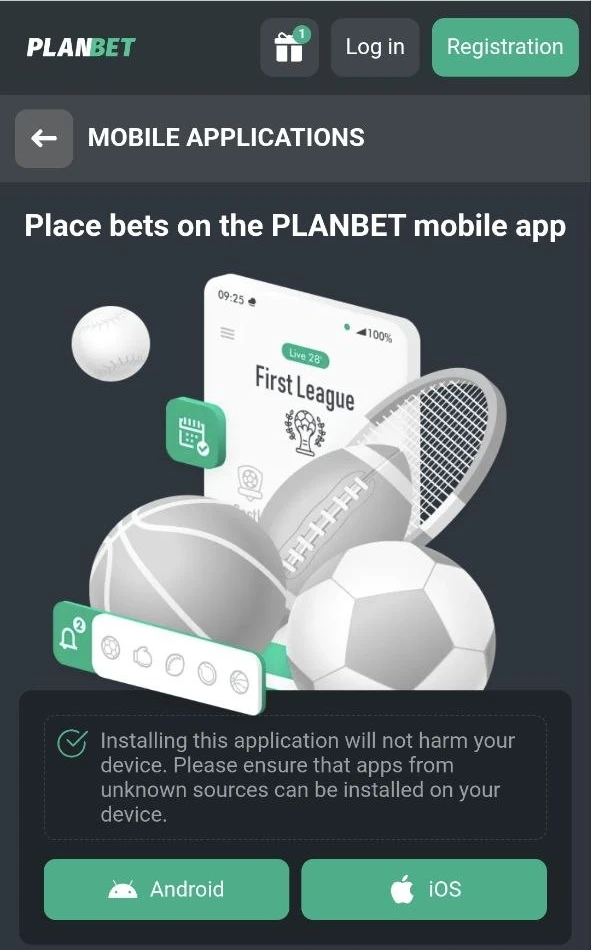
- Tap Download Android app to get the APK from Planbet's site. Planbet's page then says: "Go to Downloads and open the app installation file". Download Android app
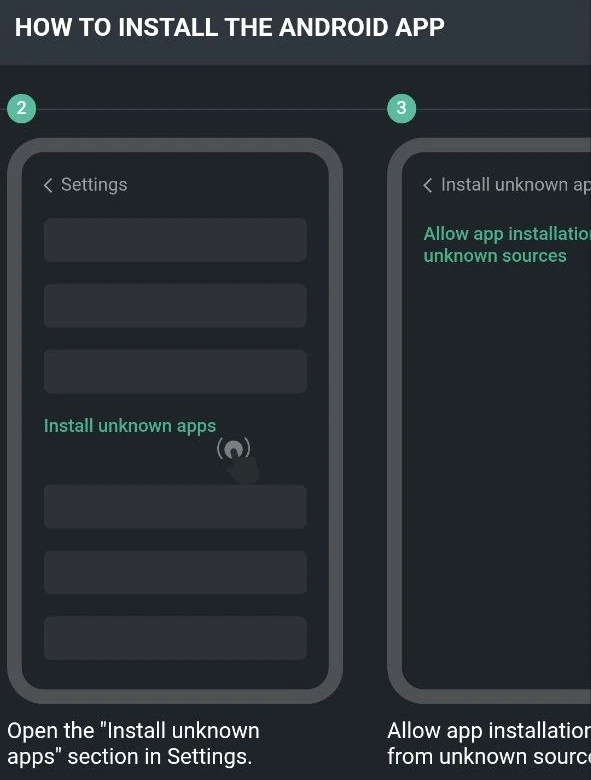
- Open "Install unknown apps" in your phone's Settings, as Planbet's guide shows. On Android 8.0 and later this permission is given one app at a time, so allow only the browser you downloaded with.
- Allow app installation from that source.
- Select the downloaded app file, PLANBET.apk.
- Tap Install.
- When the phone says "App installed", tap Open.
Planbet's own guide shows these six steps in pictures.
iPhone and the mobile site
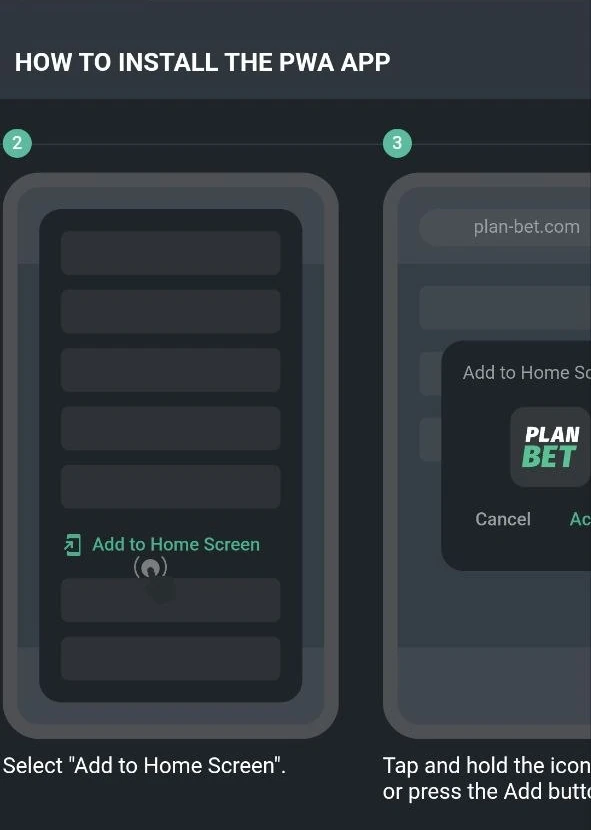
On an iPhone, open Planbet's mobile site. It needs nothing installed, and it has the sign-up, with three ways to register. Planbet's own guide shows how to keep it on your home screen as a web app:
- Wait until the site has fully loaded and open the browser's menu. In Safari, that is the Share button.
- Select "Add to Home Screen".
- Tap Add.
- Planbet's icon now sits on your home screen.
This shortcut opens the website. It is not an App Store app.
Sign up, log in and updates
Planbet's site offers three ways to sign up: by e-mail, by phone, or through social networks and messengers. The app offers the same three: by phone, by email or via social media.
Choose India and Indian rupees (INR) on the form. It also has a promo code field and a bonus choice, the sports first deposit bonus or the casino package, or you can decide later.
Log in. After sign-up the app shows your new username and password, with Copy and Share buttons, so save them before you go on. To log in, enter that username (ID) and the password.
Confirm your phone number. Planbet's sports bonus terms credit the bonus only once your account details are complete and your phone number is activated.
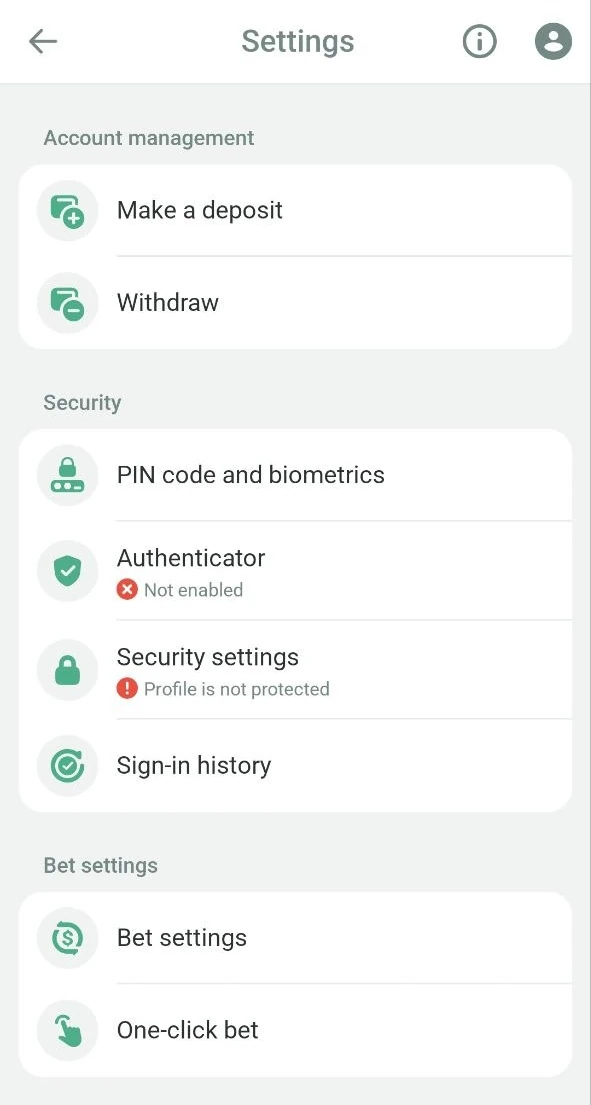
Updates. Open Settings and tap the information icon at the top: App information shows the client version. On 20 October 2026 it read Planbet v.256.0.1.
If the Planbet app is not working
| Problem | Check | Next step |
|---|---|---|
| Android says the install is not allowed | "Install unknown apps" in Settings | Allow only the browser you downloaded with, then open the file again |
| You forgot your PIN code | The PIN screen's note | Reset the app settings, as the PIN screen says |
| A payment has not arrived | Customer support > Payment queries | Create a query there |
| Your account is blocked | Contacts in Customer support | Write to the security department, security@planbet.com, listed on the app's Contacts page |
If a page asks you to pay, deposit or install another app to fix access, stop. A deposit never fixes a login or an app problem.
Using the Planbet app
| Feature | What it does |
|---|---|
| Bet slip | Stakes from ₹10, quick stakes of ₹10, ₹600 and ₹1,500, and a promo code tab |
| When odds change | Ask me to confirm, accept any change, or accept only higher odds |
| One-click bet | Planbet's help page warns that with it on, any tap on the odds places a bet |
| Sell a bet | Open bets in bet history can show a Sell button |
| Security | PIN code and biometrics, an authenticator and your sign-in history |
| Live video | On some live matches, in the Stream tab |
Help. Customer support has a text chat, a Contacts page and payment queries. Contacts gives support-en@planbet.com for customer service. The app's language list has 71 languages, Hindi, Bengali and Tamil among them.
Money in brief. Planbet's payments page for India lists Google Pay, UPI, UPI Fast, PayTm and PhonePe for deposits, most from ₹300. Withdrawals go by Google Pay, Skrill, NetBanking, bank transfer or crypto; UPI and NetBanking start at ₹1,000. Our Planbet review has the limits and the bonus rules. For other sites that take UPI, see our UPI betting sites.
How we checked this guide
Every screen here is from Planbet's Android app and its mobile site, on an Indian rupee account, on 20 October 2026. Planbet's install steps are credited to Planbet.
Planbet app: questions and answers
How do I download the Planbet APK?
From Planbet's Mobile applications page: tap Android. Allow installs for your browser in "Install unknown apps", then select PLANBET.apk and tap Install.
Is the Planbet APK safe to install?
Get it only from Planbet's own site. Give the install permission to your browser alone. Never share a one-time code with anyone.
How do I get Planbet on an iPhone?
Open Planbet's mobile site in Safari, tap Share, then Add to Home Screen. That keeps the site one tap away as a web app.
How do I log in to the Planbet app?
Enter your username (ID) and password, the ones the app showed you when you signed up.
Is the Planbet app in Hindi?
Yes. Hindi is in the app's language list, with Bengali, Nepali, Urdu and Tamil.
Which version is the Planbet app?
On 20 October 2026, the app's App information screen showed Planbet v.256.0.1.
For other bookmakers' apps, see our guide to cricket betting apps in India.
Planbet on your phone
We may earn a commission if you sign up through our link.