1xBet App Download for Android and iPhone
On Android, 1xBet's app is an APK file you download from 1xBet's own download page. On an iPhone, you use 1xBet's mobile site in Safari.

Choose your route
This is CricketPrediction's guide to the app, not an official 1xBet page. For deposits, withdrawals and the bonus rules, read our 1xBet review.
Choose your route
| Phone | What opens | Details |
|---|---|---|
| Android | 1xBet's download page for the APK | file 1xbet.apk, 46.4 MB, version 1xBet v.259.1.2 |
| iPhone | 1xBet's mobile site | open it in Safari |
Before you install on Android
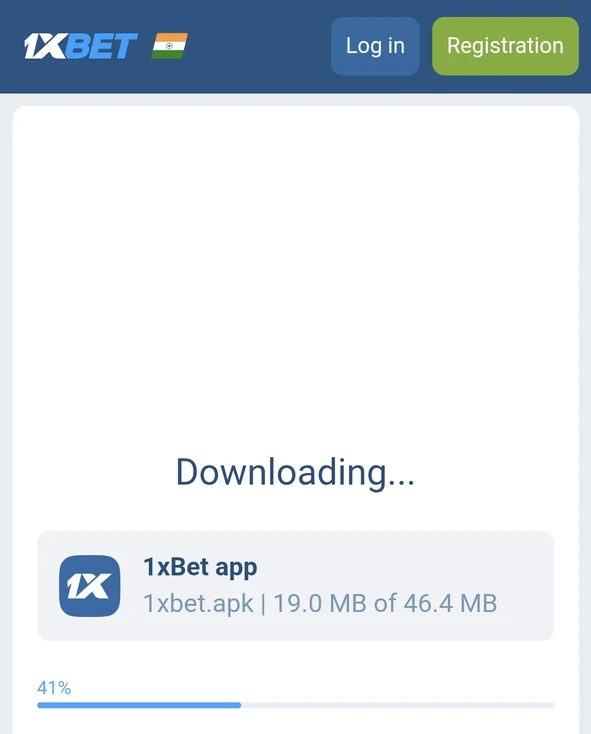
Check that the page you download from carries 1xBet's own header with Log in and Registration buttons.
Android asks for your permission before it installs an app that does not come from Google Play. Follow the prompts your phone shows.
A logo or a padlock in the address bar does not prove an app is safe, so download only from the button on this page or from 1xBet itself.
Android steps
- Tap Download Android app. 1xBet's download page opens and the file, 1xbet.apk, starts downloading (46.4 MB).
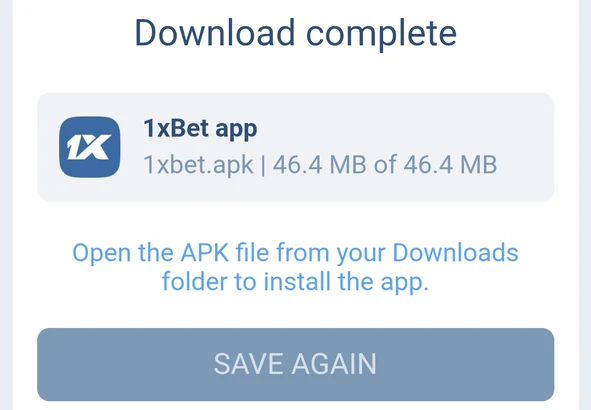
- When it finishes, the page says "Download complete" and tells you to open the APK file from your Downloads folder. The same page has a SAVE AGAIN button if you need the file again.
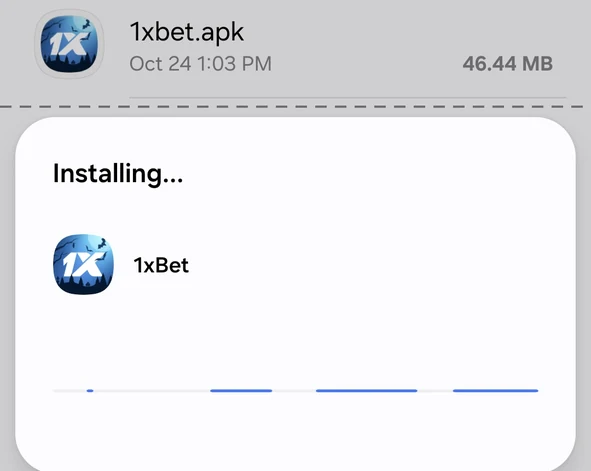
- Open the file from Downloads. Android shows "Installing... 1xBet".
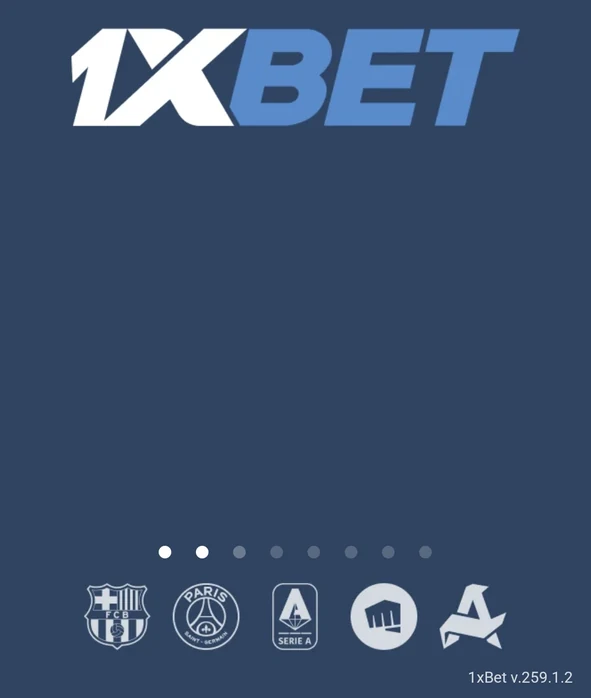
- Open the app. The first screen shows its version, 1xBet v.259.1.2.
On an iPhone
Open 1xBet's mobile site in Safari and sign in there.
To keep it one tap away, add the site to your Home Screen from Safari's Share menu. That makes a shortcut to the website, not an App Store app.
Sign up or sign in
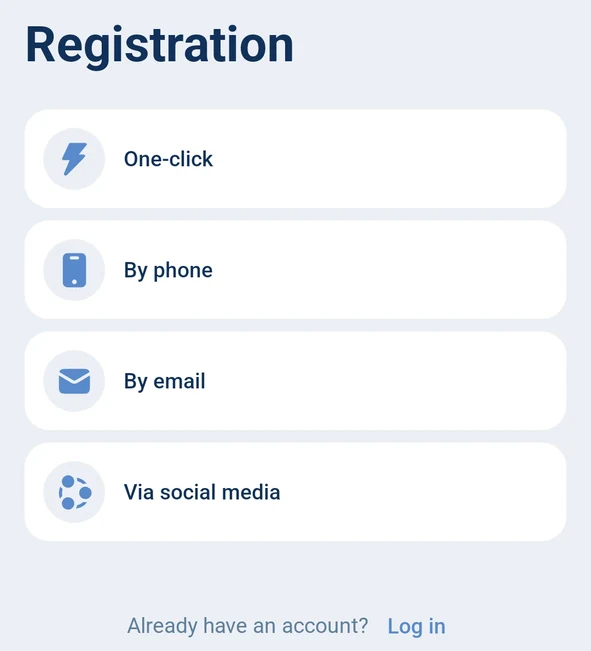
New to 1xBet? The app offers four ways to register. One click, by phone, by email, or through a social media account.
One-click sign-up asks for your country and currency, India and Indian rupee, and lets you choose a bonus. The choices are the sports welcome, a casino and 1xGames package, or no bonus at all.
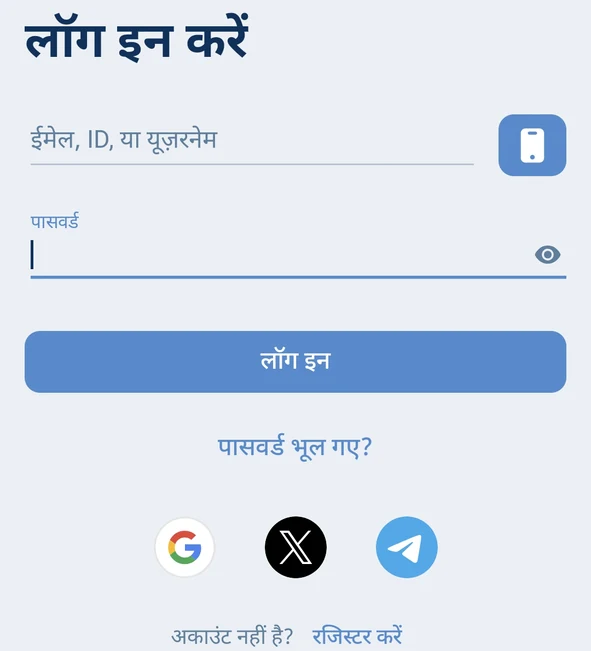
Already have an account? The login screen takes your email, ID or username with a password, or your phone number through the phone button. It also offers Google, X and Telegram sign-in.
Forgot your password? Tap "forgot password?" under the login button.
Settings worth knowing
The app version is under Settings, then About the app. Ours read 1xBet v.259.1.2, marked Updated.
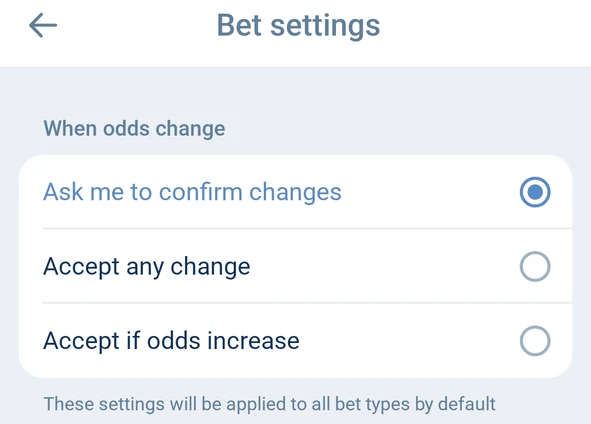
Bet settings decide what happens when odds move while you bet. You can be asked to confirm, accept any change, or accept only increases, and the choice applies to all bet types.
App settings cover the odds format (ours showed Decimal), push notifications, the background, how markets are shown and the language, and you can switch the whole app to Hindi.
Security settings offer a PIN code with biometrics, an authenticator and your sign-in history.
Using the app for cricket
The bar along the bottom holds Popular, Favorites, the bet slip, History and Menu.
Under Cricket, a switch flips the tournaments list between live and pre-match games.
The match pages we opened split their markets into tabs for all markets, main markets, innings and overs.
The toss has its own market, "Team To Win The Toss".
On a live one-day match, a drawn tracker above the markets showed the score, the overs and the last six deliveries.
Deposits and withdrawals both start in Account management. Our review covers the methods and the bonus rules.
Fixes for common problems
Need the file again? When a download completes, the download page shows a SAVE AGAIN button that downloads it again.
You can't find the file. Look in your phone's Downloads folder, which is where the page tells you to open it from.
You forgot your password. Use "forgot password?" on the login screen.
The app feels slow. Settings, then About the app, has a Clear cache button.
Prices keep moving while you bet? Bet settings let you choose to be asked to confirm changes, to accept any change, or to accept only increases.
A payment needs checking. Open Account management and tap Payment queries.
Still stuck? Support offers chat, a call-back request, online calls and a Telegram support bot.
How we checked the app
On 24 October 2026 we downloaded the 1xBet app from its download page and went through it on an Android phone with an Indian rupee account, version 1xBet v.259.1.2. We covered the download and install, sign-up, sign-in, settings, the cricket pages and the help screens.
Questions
Is the 1xBet app on Google Play?
The Android app we installed came as an APK from 1xBet's own download page, not from Google Play.
Can I get 1xBet on an iPhone?
Use 1xBet's mobile site in Safari, and add it to your Home Screen if you want a shortcut.
How big is the 1xBet APK?
The file we downloaded was 46.4 MB.
How do I check my app version?
Settings, then About the app.
Is the 1xBet app available in Hindi?
Yes. Change the language in App settings to use it in Hindi.
1xBet on your phone